Guides
Add a WhatsApp banner to your Instagram profile
Make your bio interactive with WhatsApp banner to increase enquiries
Most Irish SMEs on Instagram still handle enquiries through DMs. You know how it goes; messages get lost between the primary inbox and "requests," if they're not following you they can't see the "Message" button, and if they do get through half never get a reply. A WhatsApp banner is a button Instagram adds to your profile that opens a WhatsApp chat directly, skipping DMs entirely. Since you number isn't publicly visible on your profile anymore it should cut down on some of those annoying robo-calls you get too.
It takes less then a minute to set up and works on any Business or Creator account.
Why it's worth doing
- Fewer clicks to a real conversation. One tap opens WhatsApp with your number already in the chat, no "hi, are you open?" DMs that sit unread.
- Skips DM roulette. Instagram splits messages across a primary inbox and a requests folder; a WhatsApp banner routes people straight to a channel you actually check.
- Your number isn't printed in your bio. Instagram shows a "WhatsApp" button rather than the digits themselves, only revealing it to whoever taps to start a chat, not to anyone scrolling or scraping your profile.
- Meets customers where they already are. WhatsApp is the default messaging app for most people in Ireland, a smaller ask than filling in a contact form, especially from a phone.
Setting it up
Open your profile and add a banner
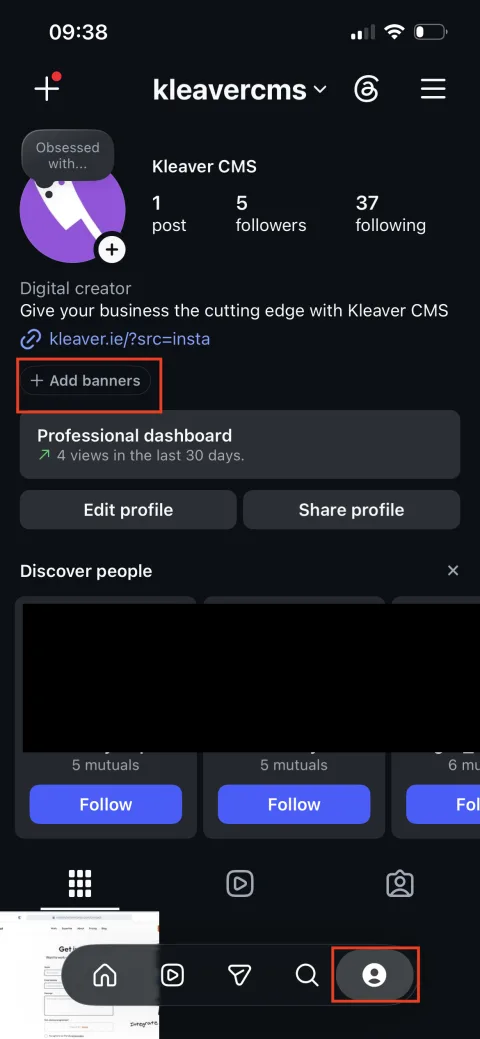
On your Instagram profile, tap Edit profile, then Add banners (the option sits just under your bio link).
Choose WhatsApp
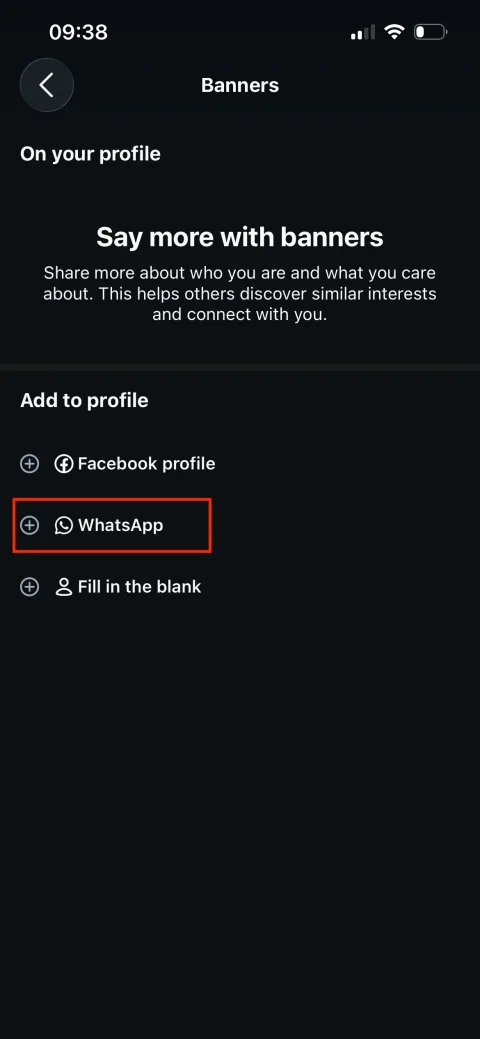
Instagram offers a few banner types: Facebook profile, WhatsApp, or a blank one you fill in yourself. Tap WhatsApp.
Confirm and connect your number
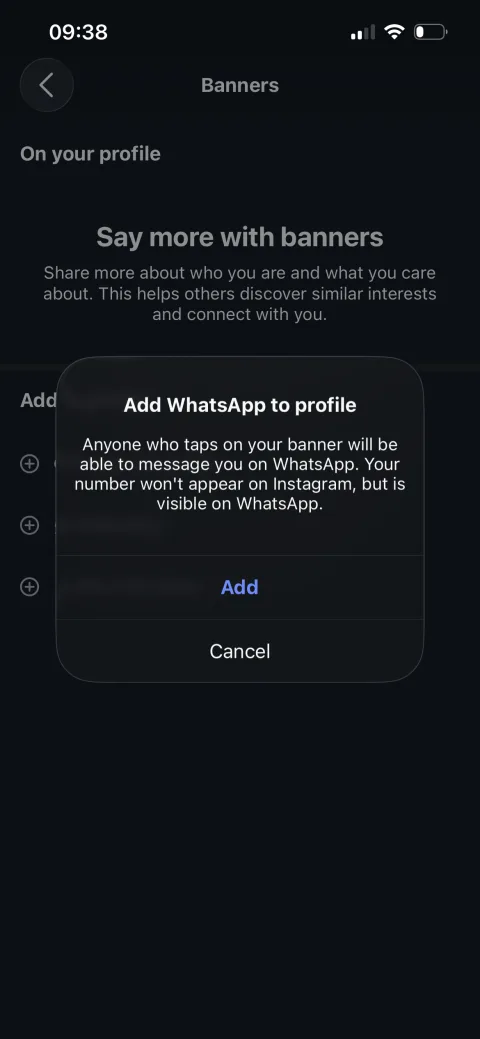
Instagram explains exactly what happens: anyone who taps the banner can message you on WhatsApp, but the number itself doesn't appear on your Instagram profile. Tap Add to confirm.
Done: the banner is live
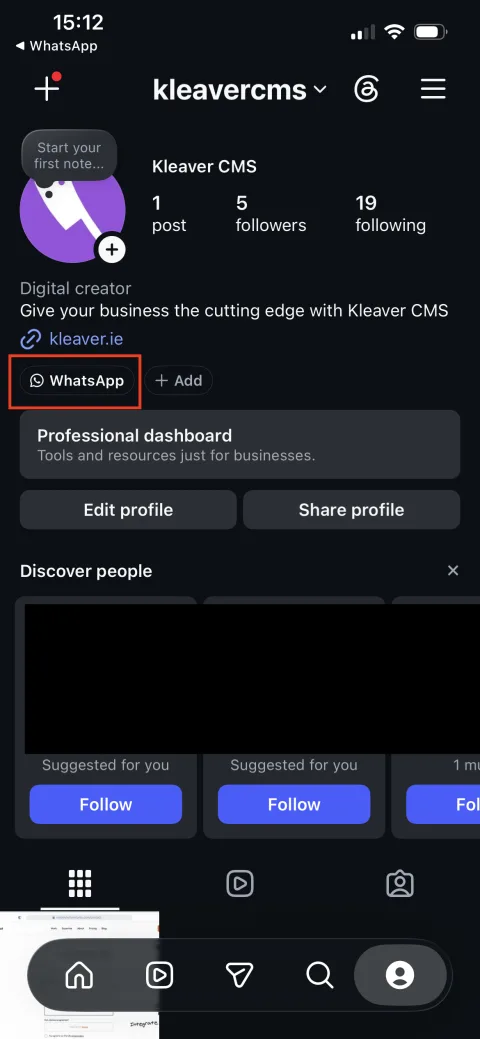
A WhatsApp button now sits on your profile next to "Add." Customers can tap it any time to start a chat, without ever seeing your number in your bio.
Pairs well with a proper enquiry form
A WhatsApp banner is great for quick questions, but conversations there don't leave a record you can follow up on. For enquiries you want tracked and turned into a booking, point people to a form that lands in your inbox and CRM: see our enquiry form integration.